Bluegg
Year: 2025–2026Duration: 5 months
Bluegg is agentic canvas for creatives to think out loud. Watch AI agents work with your ideas through sketches and conversations, shaping them into mind maps, mood boards, storyboards, briefs and more. While most AI tools accelerate execution, Bluegg tackles the upstream problem in every creative project: defining the vision in the first place.
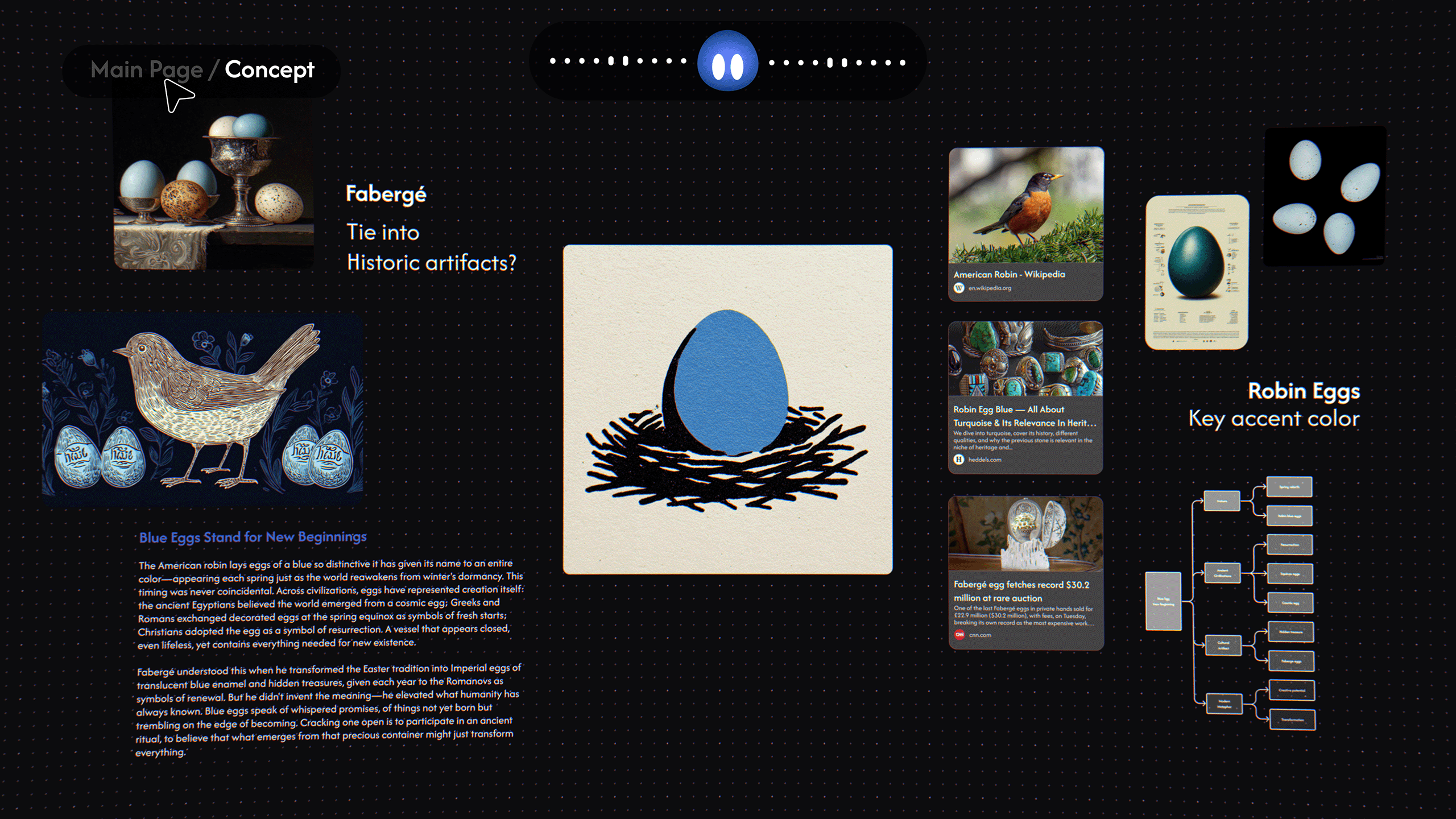
Concept Trailer, created by Ingram Mao
The Problem Bluegg Solves
While AI is good at rapid execution, the true bottleneck in modern creative workflows is defining a strong initial vision. Most AI tools push that work into chat interfaces, which flatten the open, associative thinking that early-stage ideation actually needs.
Bluegg bridges this gap by providing an intuitive environment where human ideas, taste and AI capabilities can collaboratively shape creative direction.
of creatives believe Gen AI tools dulls creativity1
of creatives believe AI is making creative work soulless2
% of US adults who say increased use of AI in society will impact people’s ability to Think creatively3
Bluegg’s Product Thesis
AI should adapt to human creative workflows, not the other way around. Bluegg’s design mirrors the dynamic of a real brainstorming session, integrating voice AI with a spatial canvas—voice for thinking out loud, the canvas for ideas to take shape on. The result is a collaborative partner that amplifies human creativity instead of shallow automation.
Building the Concept Prototype
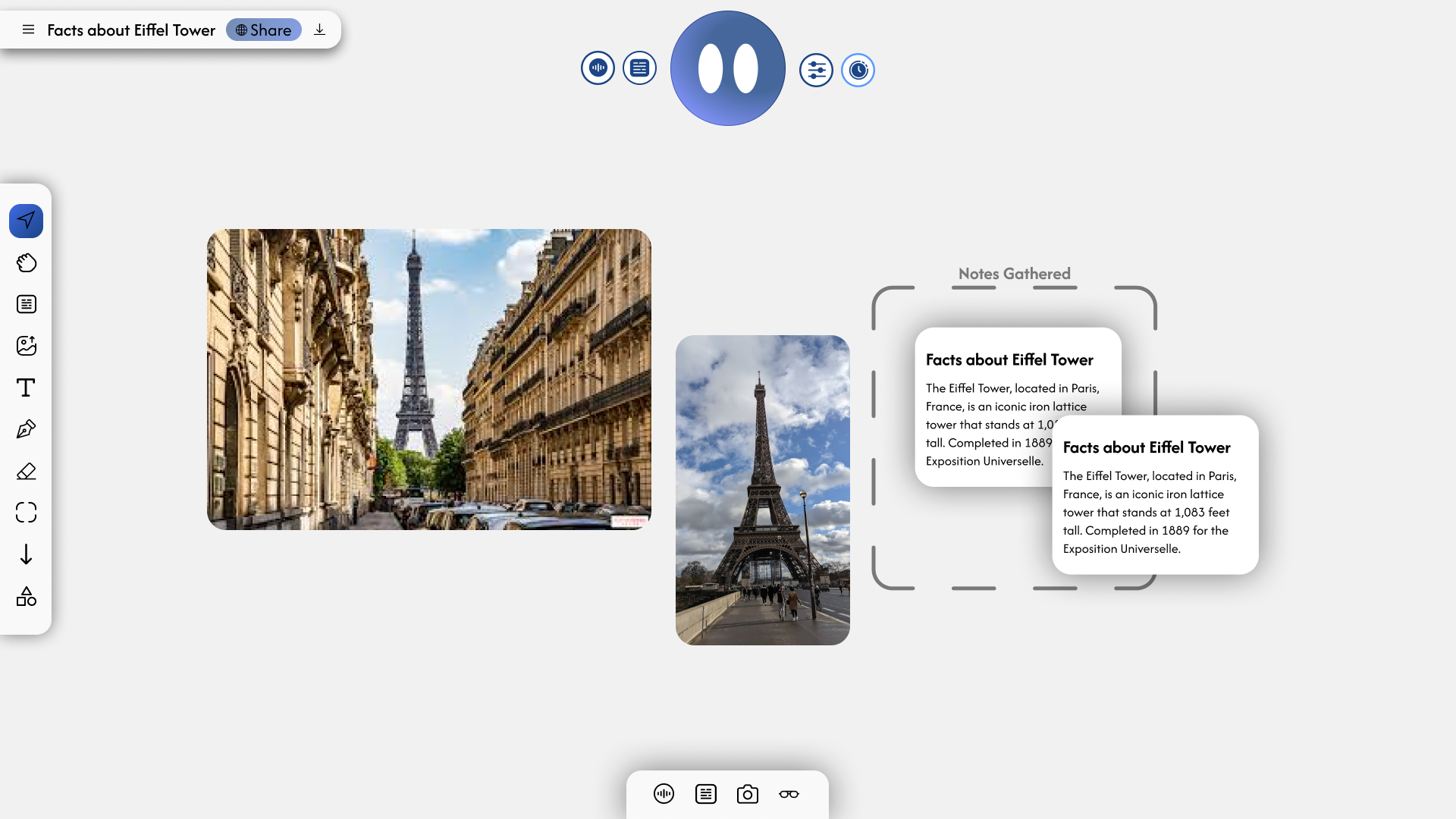
For the initial prototype, I integrated the Tldraw SDK and LiveKit with Gemini Live, merging voice and visual modalities into a single interface.
Testing this prototype revealed a key product insight: for Bluegg to feel like a collaborator, the AI needed bidirectional awareness of the canvas. In other words, it needs the ability to both read its current state and edit it during real-time conversation.
Product Positioning
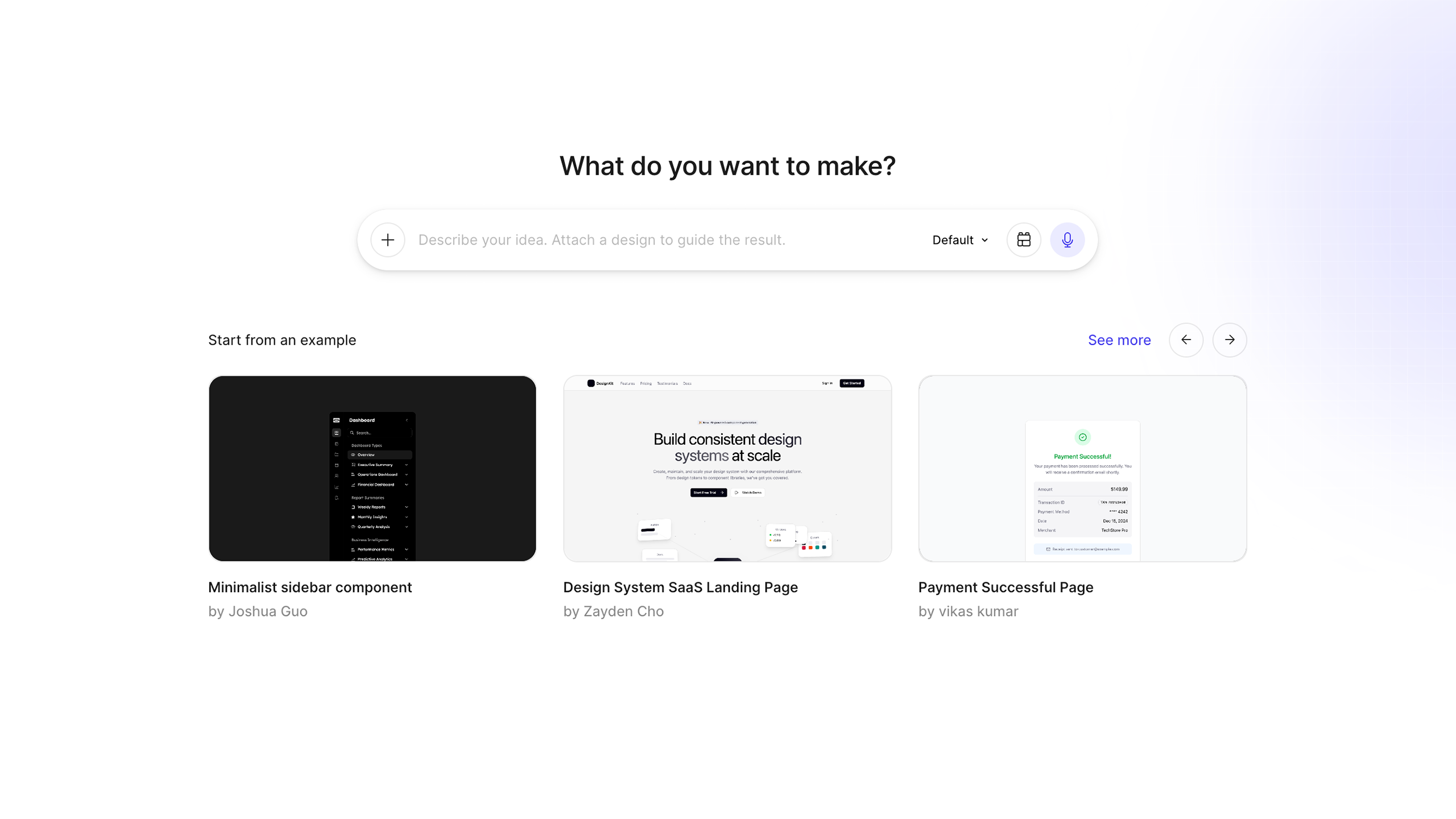
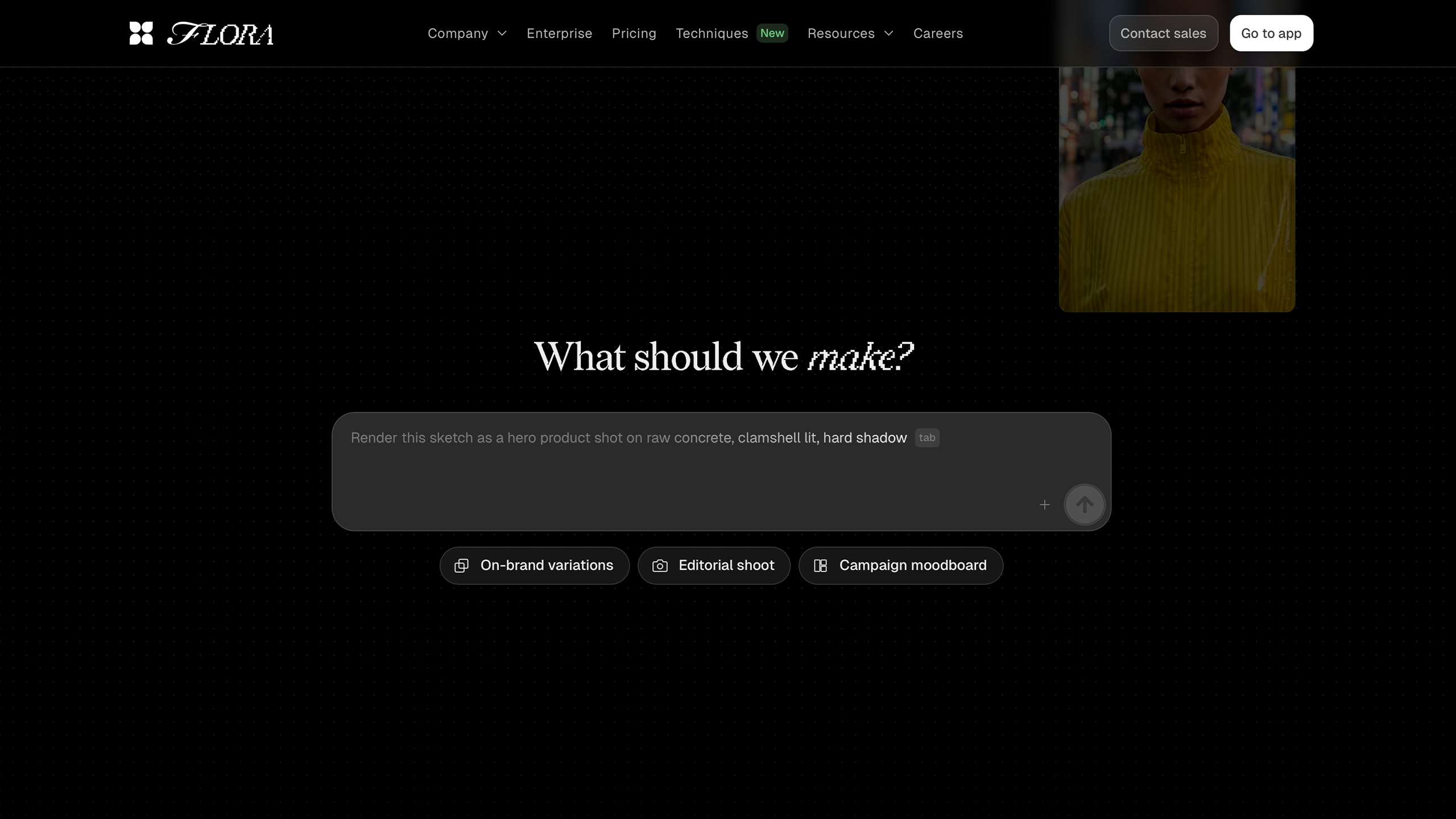
Most AI creative tools, even canvas-native ones like Figma Make or Flora, are still fundamentally text-prompt interfaces that assume the user already knows what they want. That assumption breaks down at the earliest, fuzziest stage of a project, which is where creative work needs most help.
I framed Bluegg’s opportunity as an interface problem, not a model problem: the underlying capabilities exist, but the interaction model for upstream ideation hasn’t been designed yet.
Building the Agent for Bluegg
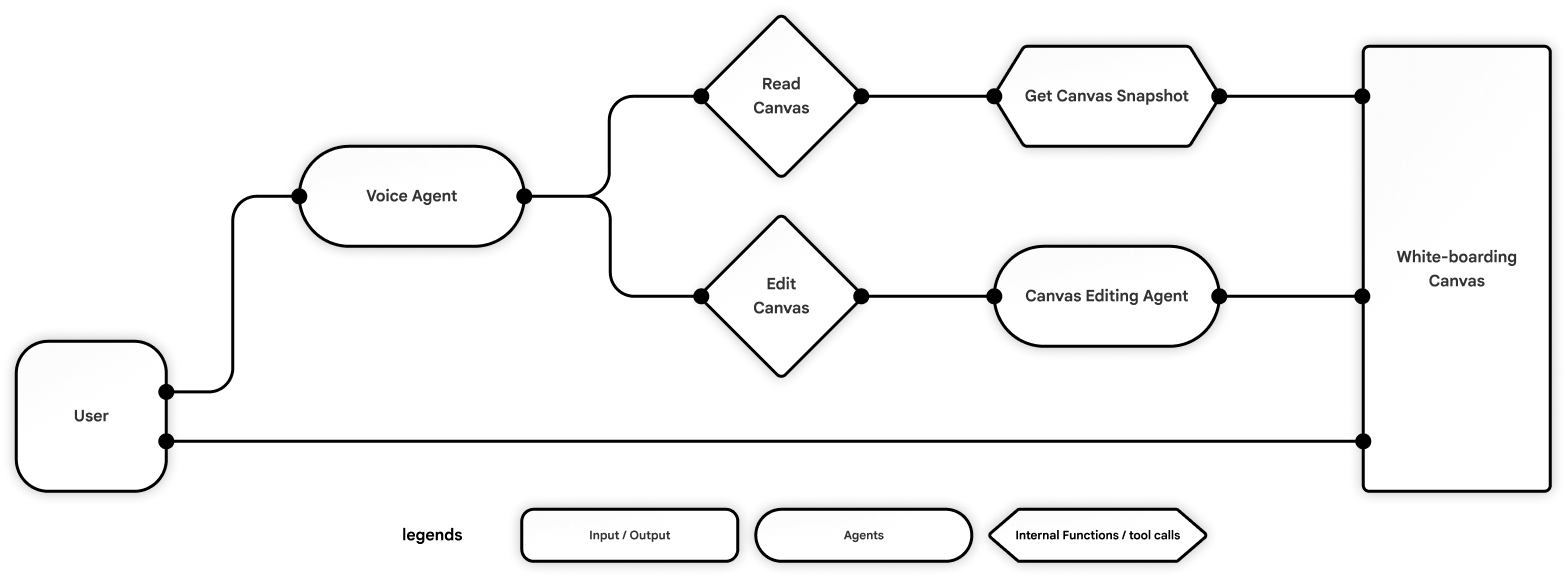
My design for the core architecture separates AI interaction from visual execution. A primary Voice Agent acts as the user’s main point of contact, equipped with tools to continuously read and interpret the canvas. To handle the complexity of visual manipulation, this agent routes all visual commands to a specialized Canvas Editing Agent for stable and precise execution.
Simplifying the User Flow
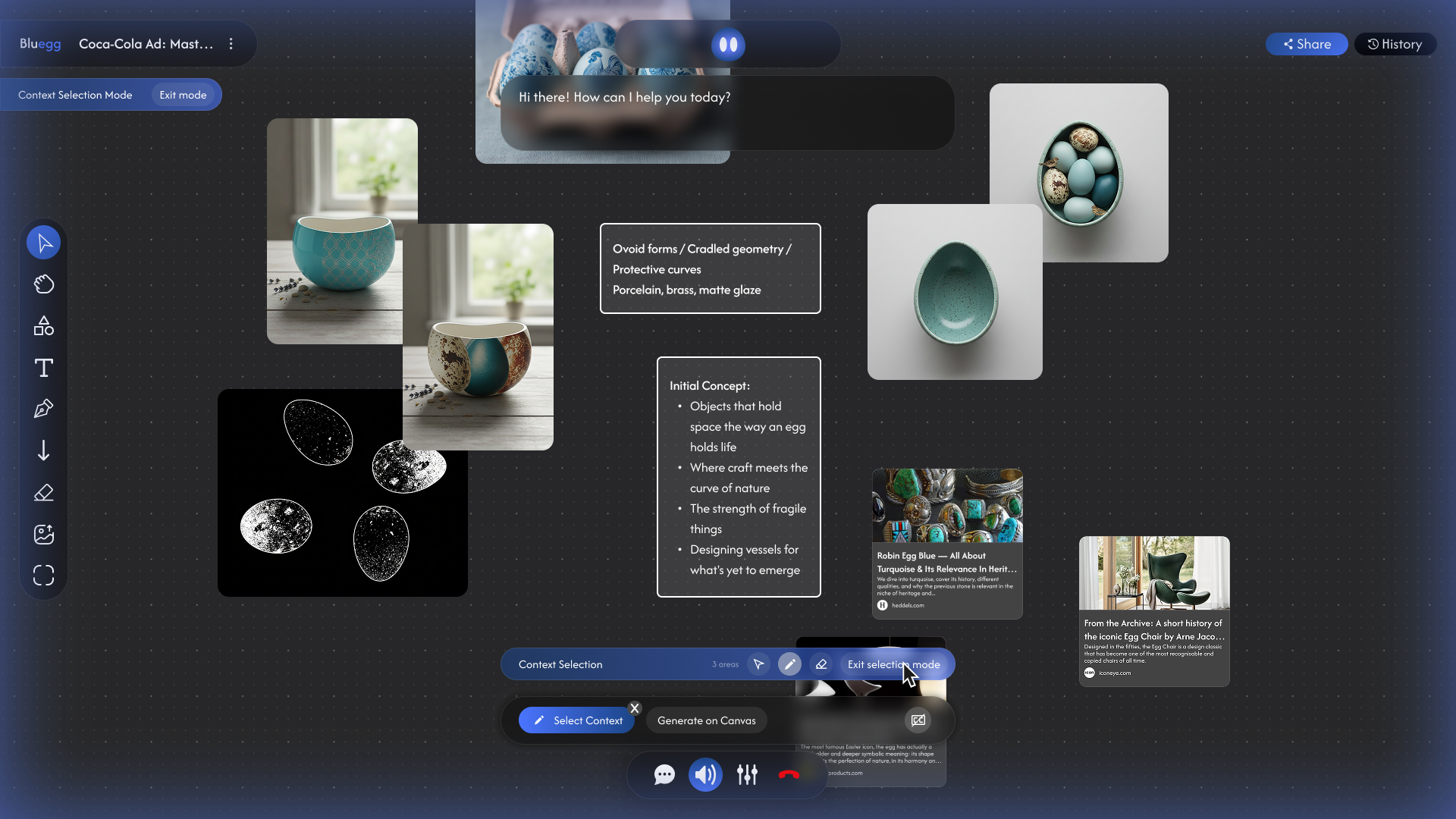
Early iterations leaned on too many controls, which fought the calm, conversational feel I wanted. I pared the interface down to two input modalities: voice for anything you’d naturally say out loud, and a minimal set of buttons to edit the canvas.
Voice and canvas controls live in distinct, non-overlapping zones. Through user testing, the minimalistic interface was something people particularly appreciated.
Optimizing the Agent Graph for Canvas Editing
The challenge
User testing showed that synchronous canvas operations blocked the voice agent and broke the user’s creative flow. To achieve low latency and high accuracy, the canvas agent had to be decoupled into asynchronous, highly reliable operations.
Graph iterations
To solve this, I've iterated over multiple agent paradigms to find the best fit for Bluegg:
- Version 1 | ReAct Agent Graph
A single agent quickly became bloated trying to manage the vast array of white-boarding tools. - Version 2 | Prompt Chaining
Provided deterministic logic, but complex branching led to high latency and unmaintainable code. - Version 3 | Orchestrator Pattern
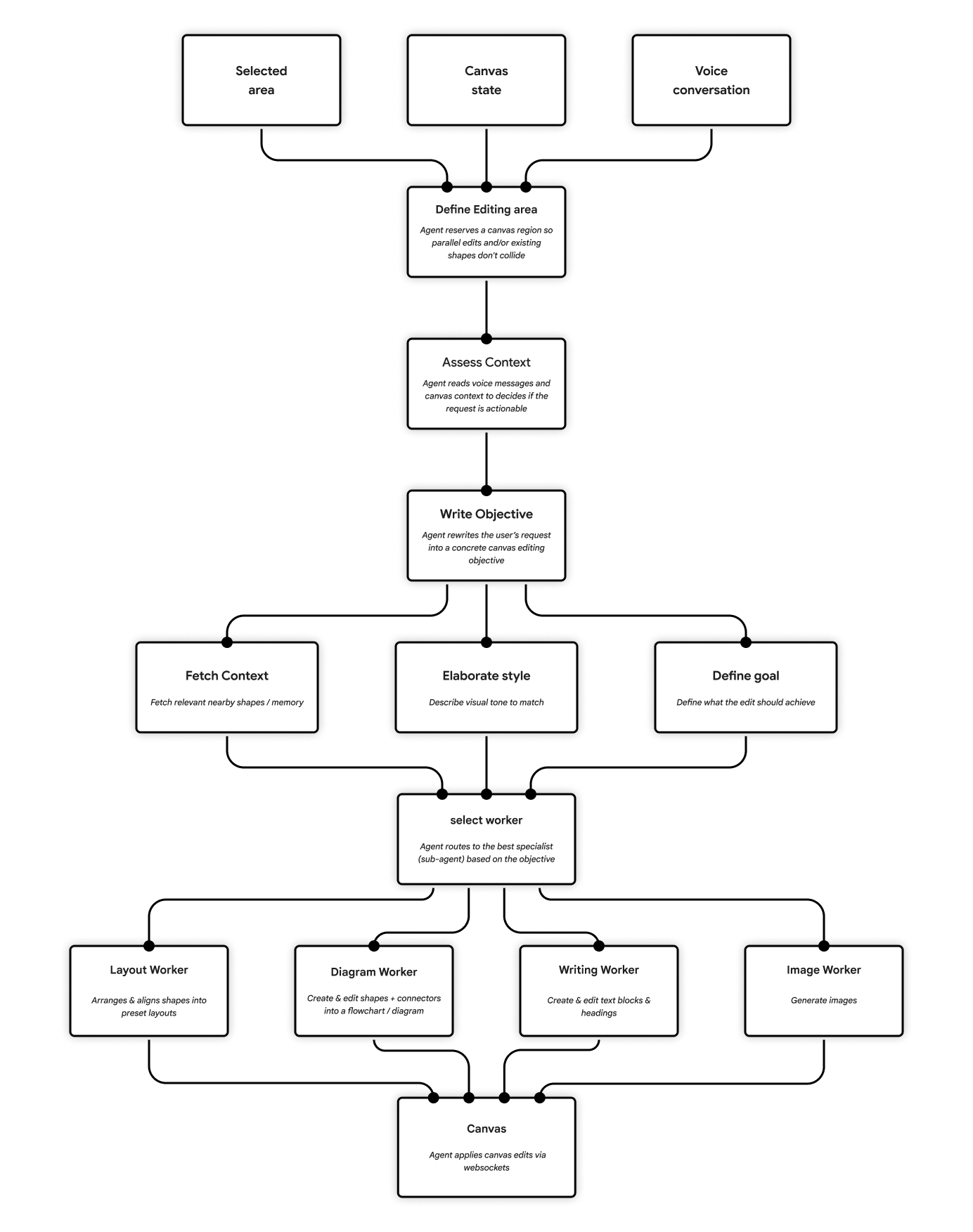
Delegating tasks to sub-agents solved the tool bloat, but the central orchestrator was too slow for real-time work with large canvas context (images and JSON). - Final Version | Hybrid Agent Graph
A chained orchestrator parallelizes goal-setting, style-matching, and context retrieval, then routes execution (diagramming, text generation, image creation) to specialized sub-agents.
Building It By Using It
Bluegg began as a passion project, born from my background in creative direction. It was the brainstorming partner I’d always wished I had.
I use Bluegg in my own design process and have shared it with peers working across visual design, animation, UI/UX and game design. Their excitement validated the concept, and their ongoing feedback became the driving force that shaped the product.
Specs
Tech Stack
Design: Figma
Agentic Coding Tools: Cursor, Claude Code
Frontend Framework: Next.js 15 (TS + React 19)
Backend Framework: Fastify (TS), python-socketio (Python)
Voice Agent Infra: Hume EVI
Voice LLM: Claude Haiku 4.5 or Gemini 3.0 Flash
Canvas Agent Infra: LangChain, LangGraph, LangSmith
Canvas Agent LLM: Gemini 3.0 Flash, Grok 4, and/or Claude Haiku 4.5
Real-time Communication / Networking: Socket.io
Whiteboard: Tldraw, Tiptap
Database: Supabase
Authentication: Auth0
Deployment: Fly.io
Trailer: Photoshop, After Effects
Credits
Ingram Mao
Ivan Pu
Hunter Kitagawa
Other Works
Website designed and coded by Ingram Mao